
Ripper Casino in Your Pocket

Ripper Casino runs entirely in the mobile browser, which means there is no app to download from the App Store or Google Play. iPhone and Android players open the site through Safari or Chrome and find the same lobby, cashier and bonuses as the desktop version. The browser version can be installed as a progressive web app — a home-screen icon that opens in full-screen mode without the browser bar visible. The result is something that looks and feels like a native app but stays inside the rules that both stores apply to real-money gambling.
Why There Isn't an App to Download
App stores in Australia restrict real-money gambling apps quite tightly. Apple's App Store rules require a specific gambling licence in each market for any casino app, and Google Play applies a similar policy. Operators that try to publish under those constraints often see their apps removed without warning, which leaves the players who downloaded them stranded with a useless icon. Ripper Casino sidesteps the whole arrangement by running in the browser. The cashier, the games, the live chat and the support pages all sit on a single mobile-optimised site that loads instantly without opening an app store.

Adding Ripper Casino to an iPhone Home Screen
The progressive web app install on iOS runs through Safari rather than a dedicated installer. The whole sequence takes about thirty seconds and the resulting icon behaves like any other app on the home screen — tap to launch, full-screen view, no Safari address bar visible. iOS 14 or newer is required for the install to work properly.
- Open the Ripper Casino site in Safari on the iPhone.
- Tap the Share icon at the bottom of the screen (the square with the upward arrow).
- Scroll the share sheet down until Add to Home Screen appears.
- Tap Add to Home Screen and confirm the name Ripper Casino.
- Tap Add in the top-right corner to place the icon on the home screen.
The new icon launches the site in full-screen mode the next time it is tapped, with no browser bar across the top.

Installing on Android Through Chrome
Android's PWA install is slightly different from iOS but just as quick. The flow runs through Chrome — the default browser on most Android devices — and finishes in three taps. Samsung Internet and Brave handle the same install with identical steps. There is no APK file to sideload, which keeps the process safe and reversible: uninstalling is as simple as long-pressing the icon and selecting remove.
- Open the Ripper Casino site in Chrome on the Android device.
- Tap the three-dot menu icon in the upper-right corner.
- Select Install app — or Add to Home Screen on older Chrome versions.
- Confirm the install in the popup window.
- The Ripper Casino icon lands on the home screen and is ready to launch.
What Works in the Mobile Version
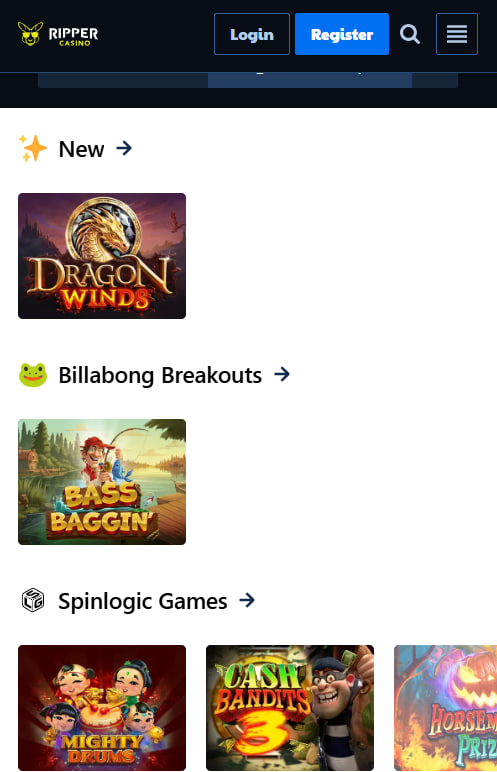
Everything available on the desktop site works in the mobile version at Ripper Casino — there is no stripped-down mobile lobby with fewer games or fewer bonus options. The full 2,500+ pokies library loads correctly, the cashier accepts every supported payment method including POLi, Neosurf, Bitcoin and Visa, and bonus codes drop into the same promo field that desktop players use. The KYC upload uses the phone's camera, which means documents can be photographed directly without scanning them first. Slot loading on a recent device sits around three seconds on 4G, and the responsive layout adjusts cleanly between portrait and landscape views.
- Full pokies library — 2,500+ titles across all studios
- Complete cashier — POLi, Neosurf, Bitcoin, Litecoin, Visa, Mastercard, eZeeWallet
- Bonus codes — claimed in the same promo field as on desktop
- KYC uploads — taken directly with the phone camera
- 24/7 live chat — available from every page
- Bonus tracking — active offers and cashback visible in the dashboard
The progressive web app version brings one extra perk on top of regular browser play — instant launch without a splash screen, since the install caches the lobby framework locally on the device.
Supported Devices and Browser Versions
Modern devices handle Ripper Casino fine, but the PWA install needs a fairly recent browser. The table below lists minimum and recommended versions for each platform that the site has been tested against.
| Platform | Minimum version | Recommended | PWA install |
|---|---|---|---|
| iOS Safari (iPhone) | 14.0+ | 16 and above | Yes |
| iPadOS Safari | 14.0+ | 16 and above | Yes |
| Android Chrome | 9.0+ | 12 and above | Yes |
| Samsung Internet | 14.0+ | Latest | Yes |
| Brave (Android) | Latest | Latest | Yes |
New players who want to try Ripper Casino on the phone can register through the sign-up page, claim 20 free spins with code TOOEASY, and add the site to the home screen in under two minutes. Every bonus listed on the bonus page works the same on mobile and desktop.

Sienna Lockhart
Sienna Lockhart covers offshore-licensed online casinos serving Australian players at rippercasinoos.com, with focus on the Deckmedia N.V. group of Aussie-targeted brands — Ripper Casino on the Rival Gaming platform, plus the RTG-based Ozwin Casino, Uptown Pokies and Fair Go Casino. Writes about Curaçao eGaming licence 1668/JAZ, 2,500+ pokies catalogues from BGaming, Pragmatic Play, Booming Games, Mascot and Arrows Edge, four-deposit welcome packages with sub-40× wagering, no-deposit free spin codes like TOOEASY, ongoing cashback programmes with rare uncapped cashout clauses, weekly crypto reload bonuses, AUD-native banking through POLi, Neosurf and eZeeWallet alongside Bitcoin and Litecoin rails, and progressive web app mobile delivery without native APK files.